
A QBC TireServ demo should let a tire distributor follow a real workflow from a customer inquiry to availability, quote, order, fulfillment, and reporting. Use the session to test the questions your counter, purchasing, warehouse, sales, and finance teams answer every day, rather than watching a generic software tour.
Schedule a Demonstration of TireServ with QBC Systems
What Should a QBC TireServ Demo Show First?
Start with the work your team cannot afford to lose between departments. A useful demonstration should connect the front counter, inventory, purchasing, warehouse, customer accounts, and financial processes in a way that matches your operation. The goal is not to see every menu. It is to determine whether the system can make the important handoffs clear and repeatable.
Before the meeting, choose one ordinary order and one difficult order. The ordinary example might be a customer asking for a tire that is available at the nearest location. The difficult example might involve multiple branches, a product that needs to be sourced, a customer-specific price, or a request that must be fulfilled from more than one warehouse. Those examples give the conversation a practical starting point.
QBC TireServ Demo Workflow: Start With a Real Customer Request
Ask the presenter to begin with the first question your sales or counter staff hear. For a tire distributor, that may involve a product lookup, availability question, quote, or order from a business customer. TireServ is positioned for distributors, wholesalers, retail counters, and warehouse operations, so the demonstration should stay close to those environments.
Watch how the workflow handles the details that affect the next action:
- How staff find the correct tire or automotive supply item.
- How the team sees availability by location before making a promise.
- How a quote becomes an order without re-keying the same information.
- How the customer account and applicable pricing context are carried into the transaction.
- How the warehouse and purchasing teams know what needs to happen next.
Ask the presenter to pause at each handoff. A demo is more useful when your team can ask, "What would our employee do here?" rather than simply watching someone move quickly through a prepared script. Use the tire wholesale and distribution ERP solutions guide as background for the broader processes a specialized platform should connect.
Can a QBC TireServ Demo Show Multi-Warehouse Inventory Clearly?
Inventory visibility deserves its own part of the meeting. A tire distributor may need to answer more than whether an item exists. The useful question is where it exists, whether it is available for the requested order, and what action should follow if the closest location cannot fulfill it.
Ask to see an item viewed across the locations that matter to your business. Then discuss how your staff handle transfers, replenishment, non-stock items, branch activity, and warehouse follow-up. TireServ's product information describes multi-warehouse inventory, replenishment, vendor file updates, and visibility across locations. The demonstration should show how those concepts fit your actual operating rules, not ask you to accept them as labels.
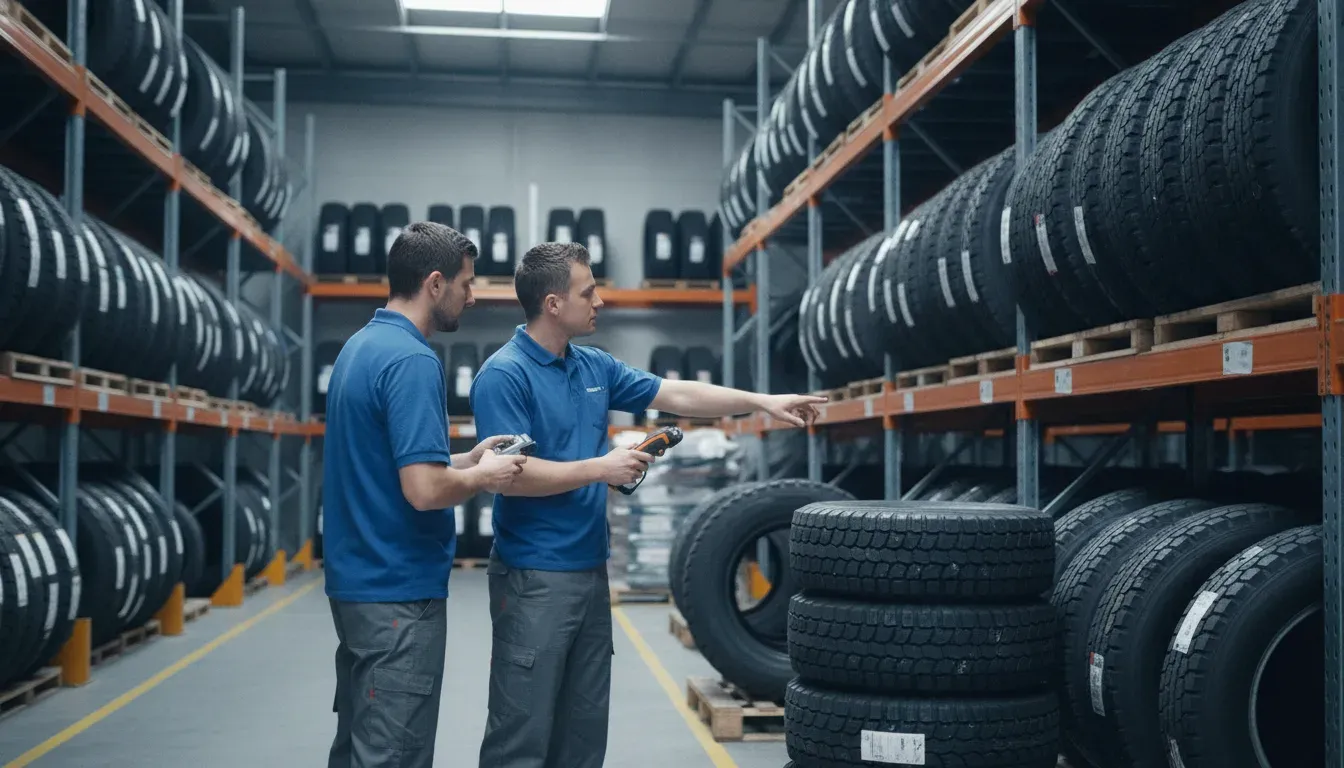
Use a real warehouse scenario to test how inventory questions move from sales to fulfillment.
Bring examples of the inventory questions that currently slow down your team. You might ask how staff identify the right fitment, confirm an available quantity, distinguish a sellable item from a non-stock item, or decide what should be reordered. The wholesale tire inventory management guide can help your team build a discussion around control, accuracy, and follow-up rather than around a generic feature list.
What Should You Test in TireServ Order, Purchasing, and Pricing Workflows?
A strong QBC TireServ demo should make the order lifecycle visible. Ask the presenter to connect the customer request to the activities that support it, including purchasing, fulfillment, and the financial record. TireServ describes support for quotes and orders, purchasing, accounts receivable, accounts payable, general ledger, point of sale, reporting, mobile order entry, and web order entry.
Use the following checklist during the demonstration:
| Workflow area | What to ask the presenter to show | What your team should evaluate |
|---|---|---|
| Customer request | Start with a real product, account, quote, or order example. | Whether counter and sales staff can find the information without creating a second record. |
| Inventory | Compare availability across the locations your team uses. | Whether the view supports a clear promise to the customer and a clear next action. |
| Purchasing | Follow an item that needs replenishment or supplier attention. | Whether buyers can connect demand, supply information, and follow-up. |
| Pricing and margin | Discuss the pricing rules and margin questions that apply to your accounts. | Whether managers can review the result and explain it to the team. |
| Reporting | Open a report or inquiry that supports a daily management decision. | Whether the output is understandable and useful after the meeting ends. |
Pricing deserves careful questions. Ask how your operation handles account terms, promotions, rebates, branch differences, and margin review. QBC's TireServ materials describe pricing rules, promotions, rebates, and margin visibility. Your demonstration should confirm how those workflows would be configured for your business. Do not let a vague promise about flexibility replace a concrete example from your own process.
For a broader view of the decision, review the explanation of ERP software and compare its general concepts with the tire distribution workflows your team actually needs.
Talk with QBC Systems about a TireServ workflow demonstration
How Can a QBC TireServ Demo Test Connected Ordering?
Connected ordering should be discussed in the context of the customers and channels you serve. TireServ materials describe web order entry, a customer-facing portal, and mobile order entry. Ask the presenter to explain how an order from a customer portal or a mobile user reaches the rest of the operation.
Questions worth asking include:
- What information is visible to a customer placing a business order?
- How does the internal team review and act on an order that starts outside the counter?
- How are availability, account context, and order status handled across the workflow?
- Which parts of the process are handled by QBC during implementation and training?
Use the tire wholesale B2B ordering page to frame this part of the discussion. The page and the demo should answer the same practical question: can the ordering experience support your distributor relationships without creating a disconnected process for staff?

A useful demo connects the customer order conversation to warehouse and sales follow-up.
What Should Managers Ask About Reporting and Daily Control?
Reports matter when they help a manager make a decision. Ask to see the inquiries and reports your team would use to review sales, inventory, purchasing, margins, customer activity, and branch performance. QBC describes TireServ as including 150 or more standard reports and inquiries, but the meaningful test is whether the available information maps to your management rhythm.
Bring three decisions to the meeting:
- Inventory decision: Which items need attention, and at which location?
- Customer decision: Which open quote, order, or account issue needs follow-up?
- Operations decision: What should purchasing, warehouse, or sales staff do next?
Then ask whether a manager can reach the needed information without combining separate spreadsheets or requesting a custom report for every ordinary question. This is also a good time to discuss user roles, training, and the difference between a report that looks complete and one that staff can use consistently.
If your operation includes several locations, compare the discussion with this multi-location inventory software guide for auto distributors. It can help you identify the visibility and coordination questions to bring into the meeting.
How Do You Evaluate the QBC TireServ Implementation Conversation?
A product walkthrough is only one part of a serious ERP evaluation. Ask what happens after the demonstration if the workflows appear to fit. QBC presents itself as a full-service technology partner offering software, implementation, training, technical support, hardware, networking, and managed IT services. Your next questions should focus on the work required to move from the current process to a usable system.
Ask about:
- How your current products, customers, vendors, pricing context, and transaction history would be reviewed for migration.
- Which people from sales, warehouse, purchasing, accounting, and management should participate in planning.
- What training is provided for day-to-day users and administrators.
- How support works after the system is in use.
- Which hardware, network, browser, or data-center questions should be addressed before implementation.
Do not ask only how quickly a team can turn on a feature. Ask how QBC would help your organization define the workflow, prepare the data, train users, and measure readiness. That conversation can be more valuable than a long list of screens.
The QBC ERP solutions overview provides context on the broader product family, while the QBC Systems background page explains the company's distribution experience. Use both as context, then keep the demo focused on TireServ and your business.
How Do You Leave a TireServ Demo With a Clear Decision?
End the meeting with a written summary. Separate what you saw, what needs confirmation, and what your team would need to change. A simple evaluation record can include the following:
- Workflow fit: Which real order and inventory scenarios were demonstrated?
- Open questions: Which capability, integration, data, or configuration detail still needs an answer?
- People and process: Which teams must participate in implementation and training?
- Next step: What information should QBC and your team exchange before a deeper evaluation?
This approach keeps the conversation grounded in your operation. It also helps you avoid choosing software based on a polished tour that never addressed the hard parts of distribution work.
Schedule a QBC TireServ demonstration and review your workflow with QBC Systems
Frequently Asked Questions
Who should attend a QBC TireServ demo?
Include the people who understand the workflow from different angles, such as an operations manager, warehouse or inventory lead, sales or counter representative, purchasing lead, and accounting or management representative. The right group can test whether the same process works across departments.
What should a tire distributor prepare before the demonstration?
Prepare one ordinary order, one difficult order, a multi-location inventory example, and a short list of reports or decisions managers need to make. Bring questions about pricing context, replenishment, order handoffs, connected ordering, implementation, and training.
Is a TireServ demo only for large tire distributors?
No. QBC positions TireServ for tire and automotive supply distributors, wholesalers, retail counters, and warehouses. The useful question is whether the workflow, locations, users, and support model fit your operation, not whether your company matches a generic size label.
What is the next step after reviewing TireServ?
Write down the workflows that fit, the details that need confirmation, and the information required for the next evaluation step. Then contact QBC Systems to discuss a demonstration or consultation focused on your distribution operation.