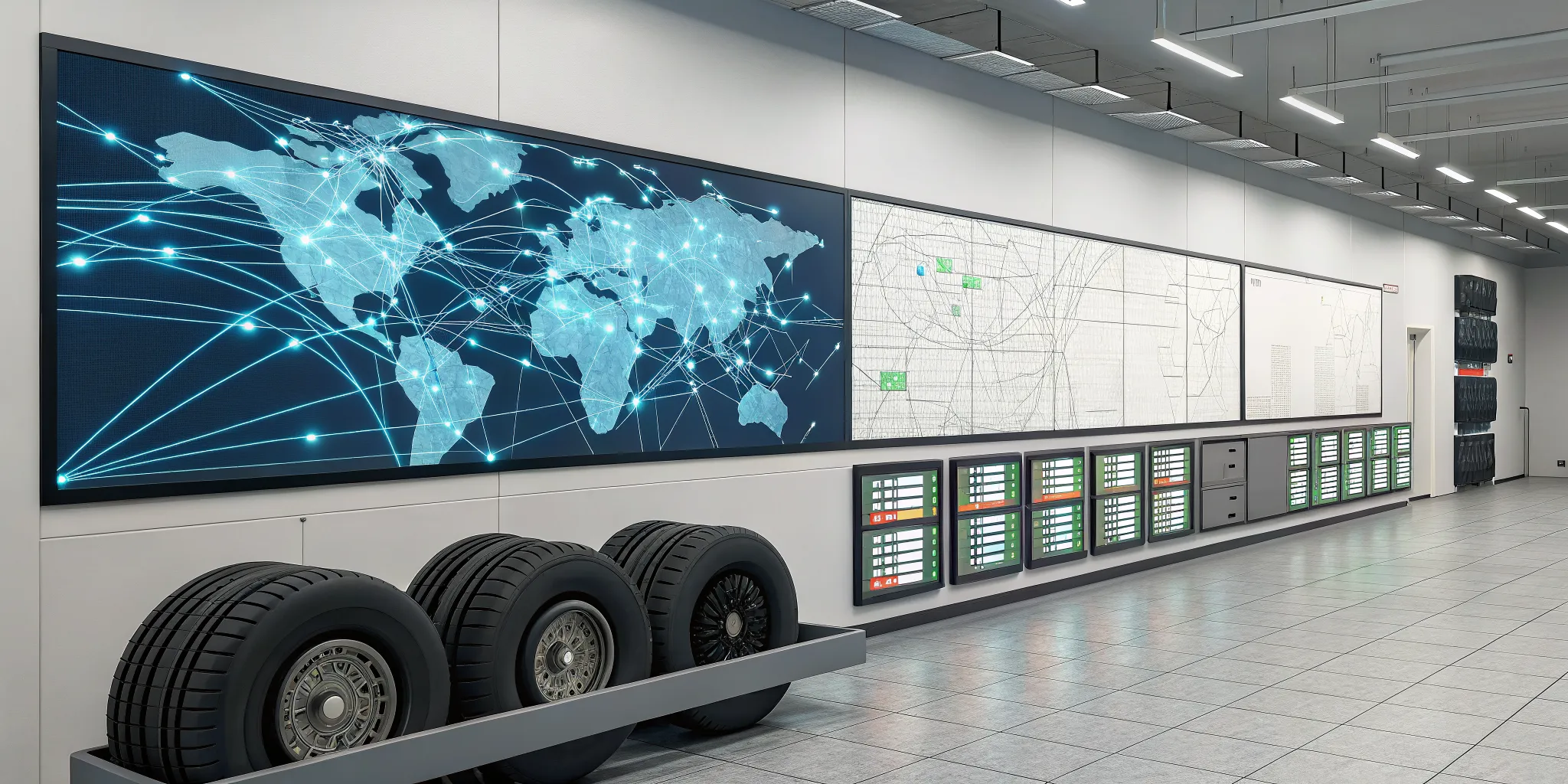
The most expensive tire in your warehouse isn’t the high-performance racing slick; it’s the one that doesn’t sell. When you’re managing multiple locations, the hidden costs of poor inventory control can quietly drain your profits. You’re paying for storage on overstocked tires at one site, while simultaneously paying for rush shipping to cover a stockout at another. Every manual count, every lost sale, and every data entry error adds up. These aren’t just minor operational hiccups; they are real financial leaks. Learning how to manage inventory for a multi-location tire business is one of the most effective ways to protect your bottom line. This guide will show you how to stop the bleeding, optimize your stock levels, and ensure your capital is working for you, not sitting on a shelf gathering dust.
Key Takeaways
- Unify your inventory data: Ditch the disconnected spreadsheets and get a single, real-time view of your stock across all locations. This clarity allows you to confidently manage transfers, make smarter purchasing decisions, and stop losing sales due to guesswork.
- Implement consistent, smart processes: Create standard procedures for everything from receiving stock to counting inventory across all your locations. By using tools like demand forecasting and automatic reorder points, you can prevent stockouts and overstock situations before they happen.
- Invest in tire-specific software: Generic inventory tools do not understand the details of your business, like DOT numbers or specific tire attributes. A system designed for tire distributors connects your inventory, sales, and accounting, giving you the specialized features needed to run your operation smoothly.
What is Multi-Location Tire Inventory Management?
As your tire distribution business grows, you’ll likely find yourself managing inventory in more than one place. Maybe you’ve opened a new retail storefront, expanded into a second warehouse, or added another distribution center to serve a new region. When this happens, you’ve entered the world of multi-location inventory management. At its core, this means you need a system for tracking and coordinating your stock across all your different sites. It’s about having a single, accurate view of every tire you own, no matter where it’s physically located.
Getting this right is a game-changer for scaling your business. An effective strategy helps you avoid the frustration of stockouts at one location while another is overstocked with the same tires. It allows you to promise accurate delivery times to your customers because you know exactly where the inventory is and how quickly you can get it to them. A solid multi-location inventory management system isn’t just about keeping track of things; it’s about reducing your operational costs, making your logistics smoother, and keeping your customers happy. It’s the foundation you need to support your growth without the chaos.
Why Managing Multiple Locations is a Different Ball Game
Managing inventory for a single warehouse is one thing, but juggling stock across multiple locations presents a whole new set of challenges. As you expand into new territories, it becomes much harder to predict what your customers will want. The demand for all-season tires in one city might be completely different from the need for winter tires in another. You also have to account for sudden spikes in demand, like when a popular truck model requires a specific tire size that everyone wants at once. On top of that, the logistics get more complex. Moving thousands of bulky tires between warehouses or from a distribution center to a retail store isn’t simple. Any hiccup in your supply chain, like a manufacturer delay, creates a ripple effect that can disrupt your entire operation, making it crucial to follow best practices for multi-location inventory management.
The Real Cost of Getting Inventory Wrong
When you don’t have a good system for managing inventory across multiple sites, the problems start to stack up quickly. Your data becomes a mess, with records at one location not matching what your central system says. This confusion makes it impossible to know what you actually have in stock, leading to lost sales and frustrated customers. You might find one warehouse is drowning in a certain tire model while another is constantly running out. This imbalance isn’t just inefficient; it’s expensive. You end up spending more money on storage for overstocked items, paying for rush shipping to move tires between locations, or wasting your team’s time on manual stock counts to sort out the confusion. Without a clear view, these hidden costs can quietly eat away at your profits and hold your business back from its true potential.
What Makes Multi-Location Tire Inventory So Tough?
Juggling inventory for one tire shop is hard enough. But when you add a second, third, or tenth location to the mix, the complexity multiplies. Suddenly, you’re not just managing stock; you’re trying to conduct an orchestra where every musician is playing from a different sheet of music. If you’re feeling the strain of stockouts at one branch while another is overstocked, you’re not alone. These challenges are common for growing tire businesses, but they don’t have to be permanent roadblocks. Understanding the specific hurdles is the first step toward clearing them. Let’s break down the biggest inventory challenges you’re likely facing as you expand.
Dealing with Siloed Data and Poor Visibility
When each of your locations operates in its own bubble, you’re dealing with siloed data. Your team at one store has no idea what another store has in stock without making a phone call or digging through disconnected spreadsheets. This lack of visibility makes it impossible to get a clear, accurate picture of your entire inventory network. You can’t confidently tell a customer you have a specific tire “in the back” if “the back” is actually a warehouse across town. This guesswork leads to missed sales opportunities and frustrated customers. Without a central system, you’re essentially flying blind, making it difficult to plan effectively or move stock between locations to meet demand.
When Each Location Does Its Own Thing
Without a unified system, each location often develops its own way of doing things. One manager might use a different product code for the same tire, while another tracks inventory on a completely separate spreadsheet. This creates confusing data that’s nearly impossible to reconcile across the company. When your records don’t match up, you can’t trust your own numbers. This inconsistency makes everything harder, from ordering new stock to running company-wide sales reports. It forces you and your team to spend valuable time untangling messy data instead of focusing on serving customers and growing your business.
Handling Unpredictable Demand and Seasonal Swings
The tire business is all about seasons. You know the rush for winter tires is coming, but are you prepared at every single location? Demand can vary dramatically from one area to another. Your suburban store might sell more all-season tires for minivans, while your rural branch moves more all-terrain truck tires. When you can’t accurately forecast these local trends, you risk running out of popular items in one place while they gather dust in another. Proper inventory management helps you keep just the right amount of stock everywhere, preventing costly overstock situations and ensuring you never disappoint a customer who is ready to buy today.
Facing Supply Chain Hiccups and Shifting Lead Times
You can have the best sales team in the world, but you can’t sell tires you don’t have. The modern supply chain is full of potential disruptions, from manufacturing delays to shipping problems. A late delivery from a single supplier can throw your entire operation into chaos, especially if it affects your busiest location. Without a clear view of your entire network’s inventory, you can’t quickly react by transferring stock from another branch to cover the shortfall. Building a resilient business means having a system that can handle these hiccups, a challenge that QBC has helped tire distributors solve for over 30 years.
How to Master Your Multi-Location Tire Inventory
Juggling inventory across multiple warehouses and storefronts can feel like a constant battle. When you finally get one location sorted out, another one is running low on a popular tire size, or you realize you have too much of another sitting in a different warehouse. The good news is that you don’t have to rely on guesswork and frantic phone calls to keep things running smoothly. Getting a firm handle on your stock is completely achievable, and it’s the foundation for scaling your business successfully. When your inventory is out of sync, you face a cascade of problems: lost sales from stockouts, wasted capital tied up in overstock, and frustrated customers who can’t get what they need. By implementing a few key strategies, you can move past these daily fires and build a more resilient operation. Let’s walk through the practical steps to turn your multi-location inventory challenges into a major competitive advantage. From centralizing your data to standardizing your processes, these methods will help you create a system that works for you, not against you, giving you the clarity and control needed to grow.
Centralize Your Inventory Data
The first and most critical step is to get all your inventory information into one place. Instead of having separate records for each location, a centralized system gives you a single source of truth. Imagine being able to see every tire you own, across all warehouses and stores, from one screen. This real-time visibility means you can stop guessing and start making data-driven decisions. You can instantly check if a tire is in stock at another branch and arrange a quick transfer instead of losing a sale. A robust ERP software solution acts as your command center, tracking every item and giving you the complete picture you need to manage your stock effectively.
Set Reorder Points and Safety Stock Levels
Stop waiting until a shelf is empty to order more tires. A smarter approach is to set automatic reorder points and safety stock levels for each product at every location. A reorder point is the minimum stock level that triggers a new purchase order. Safety stock is the extra inventory you keep on hand to buffer against unexpected demand or shipping delays. These numbers shouldn’t be random; they should be calculated based on sales history and supplier lead times. This data-based approach prevents costly stockouts on fast-moving items and avoids tying up cash in tires that sit on the shelf for too long.
Use Demand Forecasting to Stay Ahead
While reorder points help you react to current inventory levels, demand forecasting helps you plan for the future. By analyzing past sales data, you can predict how many of a certain tire you’re likely to sell in the coming weeks or months. Good demand forecasting also accounts for seasonality, so you can stock up on winter tires before the first snowfall and all-season tires ahead of spring. This proactive strategy ensures you have the right inventory at the right location just as your customers start looking for it, turning seasonal rushes into smooth and profitable periods.
Standardize Your Processes Across All Locations
For a central system to work, everyone needs to be speaking the same language. If one location uses a different product code or receiving process than another, your data will become a mess. Create clear, simple Standard Operating Procedures (SOPs) for all inventory-related tasks. This includes how to receive new shipments, how to conduct counts, how to process returns, and how to handle transfers between locations. When everyone follows the same playbook, your data stays clean and reliable. It also makes training new employees and moving staff between branches much easier.
Conduct Regular Inventory Audits
Even the best systems need a reality check. Regular inventory audits are essential to make sure the stock numbers in your software match the physical stock on your shelves. Instead of doing a massive, disruptive count once a year, consider implementing cycle counting. This involves counting small sections of your inventory on a rotating basis. Cycle counting is less disruptive to daily operations and helps you catch discrepancies like shipping errors, misplaced items, or potential theft much sooner. These regular checks are a core part of inventory management best practices and are key to maintaining data accuracy.
Build Stronger Supplier Relationships
When each of your locations orders independently, you’re missing out on significant buying power. Centralizing your purchasing through a single team or system allows you to place larger, consolidated orders with your suppliers. This volume often gives you leverage to negotiate better pricing, payment terms, and shipping rates. Beyond the cost savings, it helps you build a more strategic partnership with your suppliers. They’ll see you as a key account, which can lead to more reliable service, priority access to in-demand products, and better communication about potential supply chain disruptions.
Common Inventory Mistakes to Avoid
Knowing what to do is half the battle, but knowing what not to do can save you from some major headaches. As you manage inventory across multiple locations, a few common missteps can quickly derail your efforts, leading to inaccurate counts and frustrated customers. Let’s walk through some of the biggest mistakes we see tire distributors make, so you can steer clear of them. It’s all about building solid habits that support your growth, not hold it back.
Forgetting About Inter-Location Transfers
Picture this: your downtown shop is out of a popular all-season tire, but your warehouse across town has plenty. You send a driver to pick them up. The problem? If that transfer isn’t tracked instantly in your system, you’ve created a ghost inventory problem. One of the most frequent mistakes in multi-location management is neglecting to properly account for these internal stock movements. This oversight leads to serious stock discrepancies and the mismanagement of inventory levels across your entire business. Your system might show stock at one location when it’s actually in transit, leading to confusion for your sales team and disappointment for your customers.
Relying on Manual Spreadsheets and Clipboards
When you first started, a simple spreadsheet probably felt like all you needed to track your tires. It’s a common starting point for many businesses. But as you add locations and your inventory grows, those manual methods become a liability. A single typo, a forgotten update, or an overwritten file can throw your entire count off. This Multi-Location Inventory Management Guide highlights how these tools quickly become inadequate, leading to errors and inefficiency. Relying on spreadsheets across multiple sites makes it impossible to get a real-time, accurate view of your stock, which is essential for making smart purchasing and sales decisions.
Overlooking Staff Training
You can invest in the most advanced inventory system on the market, but it won’t do you much good if your team isn’t on the same page. When each location has its own way of receiving shipments or counting stock, you can’t trust the data you’re seeing. It’s crucial to create clear standard operating procedures (SOPs) for every inventory-related task, from receiving and moving tires to counting and reporting. Ensuring every team member, at every location, is well-trained on these processes creates consistency. This means your data is reliable, and your team feels confident and empowered to manage inventory correctly.
Smart Tire Storage for Every Location
Managing inventory across multiple locations isn’t just about knowing what you have and where it is. It’s also about making sure that inventory stays in perfect, sellable condition. Tires are not like other products; their bulk, weight, and material composition mean they require specific storage conditions to prevent damage and maintain safety. Getting storage wrong can lead to premature aging, degradation, and ultimately, a loss of investment. When you have warehouses or back rooms in different climates and buildings, standardizing your storage practices becomes essential.
Implementing a consistent storage strategy across all your sites protects the quality of your products and ensures you can fulfill orders with confidence. It also creates a safer environment for your team. From controlling the climate to organizing your racks, every detail matters. A smart storage plan is the physical foundation of a well-run inventory system. It ensures that the tire a customer orders is in the same great shape it was in when it arrived from the manufacturer, no matter which of your locations it ships from. This consistency is key to building a reliable reputation in the tire industry.
Control Your Warehouse Environment
Tires are sensitive to their surroundings. The rubber compounds can break down if they aren’t stored correctly, which is why controlling your warehouse environment is non-negotiable. Aim to keep your storage areas cool, dry, and dark. The ideal temperature is below 77°F (25°C) but always above freezing, with humidity levels around 50-60%. This climate helps prevent the rubber from becoming brittle or degrading over time.
Sunlight is another enemy of rubber. The UV rays from direct sun, and even some types of high-output indoor lighting, can cause cracking and deterioration. Store tires away from windows, skylights, and doors. By maintaining a stable and controlled environment, you extend the life of your inventory and ensure every tire you sell meets quality standards.
Master Stacking, Positioning, and Rotation
How you physically place tires on a rack or pallet can make a big difference in their longevity. The best method often depends on how long you plan to store them. For short-term storage, or for tires that are already mounted on rims, standing them upright in a specialized rack is perfectly fine. This position makes them easy to access and identify.
For long-term storage of loose tires, it’s better to stack them horizontally (flat). Just be careful not to make the stacks too high, as the weight can crush and distort the tires at the bottom. A good rule of thumb is to rotate your stock periodically, moving the tires from the bottom of a stack to the top to relieve pressure.
Stay on Top of Safety and Compliance
Tire warehouses come with unique safety challenges. Because they are heavy and bulky, unstable stacks can easily topple over, creating a serious risk for your employees. Beyond that, tires are highly flammable, and a fire can spread with alarming speed. It’s critical to have a robust fire safety plan that includes a modern sprinkler system, clearly marked stacking guidelines, and regular fire drills.
Cleanliness is also a component of safety. A tidy warehouse helps prevent pests like rodents from making a home in your inventory and reduces the buildup of flammable dust. Following established warehouse safety protocols isn’t just about meeting regulations; it’s about protecting your team, your inventory, and your business from preventable disasters.
Organize Your Racks and Labels
A disorganized warehouse is an inefficient one. When you’re managing thousands of tires across multiple locations, you can’t afford to waste time searching for a specific size or brand. This is where a smart organizational system comes in. Use specialized tire racks to store inventory safely and maximize your vertical space. Every rack, row, and shelf should be clearly labeled with a simple, consistent system that all your locations follow.
This physical organization works best when paired with a powerful software solution. By using a system like TireServ to track your inventory, you can link each tire to its exact location in the warehouse. A quick scan or search tells your team precisely where to find what they need, speeding up fulfillment and reducing errors.
How Technology Solves Your Inventory Headaches
If you’re still juggling spreadsheets, making frantic phone calls between locations, and relying on clipboards to manage your tire inventory, you know how chaotic it can get. These manual methods aren’t just inefficient; they’re costing you money in lost sales and carrying costs. The good news is that you don’t have to operate in the dark. Modern technology, specifically a robust Enterprise Resource Planning (ERP) system, is designed to bring order to this complexity.
An ERP acts as the central nervous system for your entire operation. Instead of having separate, disconnected systems for sales, purchasing, and inventory, everything works together in one place. This integration gives you the visibility and control you need to make smarter decisions, automate tedious tasks, and serve your customers better. A system like TireServ is built specifically for the tire industry, providing tools that address your unique challenges head-on. It’s about moving from reactive problem-solving to proactive, data-driven management across all your locations.
Get a Real-Time View of All Your Stock
Do you know exactly how many of a specific tire model you have across all your locations right now? If the answer is anything but a confident “yes,” you have a visibility problem. When each store or warehouse is an information silo, you can’t make effective decisions about stock transfers or purchasing. To manage inventory well across multiple locations, you need a clear, real-time view of all your stock. The right software provides a centralized dashboard where you can see precise inventory levels for every location, what’s in transit, and what’s on backorder, all updated instantly. This single source of truth is the foundation of effective multi-location management.
Automate Reordering and Purchasing
Manually tracking stock levels and creating purchase orders is a recipe for mistakes and wasted hours. Someone forgets to place an order, or a typo results in getting 100 tires instead of 10. Technology helps you automate these critical tasks to reduce human error and free up your team. You can set custom reorder points and safety stock levels for every single product at each location. When inventory dips below that threshold, the system can automatically generate a purchase order or send an alert to your purchasing manager. This ensures you replenish stock at the right time without having to think about it.
Improve Accuracy with Barcode Scanning
Manual inventory counts are slow and prone to human error, leading to discrepancies that can take hours to resolve. Barcode scanning is a simple and powerful way to make your inventory data nearly 100% accurate. By equipping your team with scanners, you create a seamless tracking process. Tires are scanned when they arrive at the warehouse, when they are moved to a different location, and when they are sold at the point of sale. Each scan updates your central inventory system in real time, giving you an exact digital record of every item’s journey. This automatic data capture eliminates guesswork and provides a reliable audit trail.
Use Data to Forecast Demand
Guessing what your customers will want next month is a risky game that often leads to stockouts of popular items or overstocking on slow-movers. Your sales history is a goldmine of information, and the right technology helps you use it. An ERP system collects and analyzes historical sales data from all your locations. It can identify trends, account for seasonal demand (like the winter tire rush), and help you create much more accurate demand forecasts. This allows you to stock the right products at the right locations, ensuring you meet customer demand without tying up unnecessary cash in excess inventory.
Connect Your POS and Accounting Software
When your point of sale (POS), inventory, and accounting systems don’t talk to each other, you create a lot of manual work for your back-office team. An integrated ERP solution connects these functions seamlessly. When a tire is sold at the counter, the system automatically deducts it from your inventory count and sends the transaction details straight to your general ledger. This eliminates the need for manual data entry and daily reconciliation. It also simplifies tracking payments, managing invoices, and getting a clear, up-to-the-minute picture of your company’s financial health. If you want to see how this integration works, you can always reach out to an expert for a walkthrough.
Key Metrics to Track for Multi-Location Success
You can’t improve what you can’t measure. When you’re managing inventory across multiple locations, relying on gut feelings just won’t cut it. To truly get a handle on your operations, you need to track a few key performance indicators, or KPIs. These numbers tell the real story of your inventory’s health, showing you what’s working, what’s not, and where you can make improvements to become more profitable. They help you answer critical questions like: Are we stocking the right tires at the right locations? How much money is tied up in slow-moving inventory? Are we losing sales because of stockouts?
Tracking metrics across several warehouses and storefronts might sound like a huge headache, but it doesn’t have to be. The right software can do the heavy lifting, pulling data from all your locations into one clear dashboard. An ERP system like QBC’s TireServ is designed to automatically track these metrics, giving you the insights you need without spending hours buried in spreadsheets. By keeping an eye on the following numbers, you can turn your inventory data into your most powerful decision-making tool.
Inventory Turnover Ratio
How quickly are your tires flying off the shelves? That’s exactly what the inventory turnover ratio tells you. This metric measures how many times your business sells and replaces its entire stock over a specific period, like a year. A high turnover rate is a great sign; it means your sales are strong and your inventory is fresh. On the other hand, a low rate can be a red flag that you have too much cash tied up in tires that aren’t moving. Tracking this helps you identify slow-moving products and optimize your purchasing to stock more of what your customers actually want.
Stockout Rate
There’s nothing more frustrating for a customer than hearing, “Sorry, we don’t have that tire in stock.” Your stockout rate measures how often this happens. While an occasional stockout is inevitable, a high rate points to bigger problems in your forecasting or reordering processes. Each stockout represents a lost sale and, potentially, a lost customer who just drove down the street to your competitor. Monitoring this metric helps you pinpoint which tires you’re consistently running out of at which locations, so you can adjust your inventory levels and prevent future lost sales.
Carrying Cost of Inventory
The tires sitting in your warehouse come with hidden costs. Beyond the initial purchase price, you’re paying for the space they occupy, the insurance to protect them, and the labor to manage them. These expenses are all part of your carrying cost of inventory. This metric reveals the true expense of holding onto stock, especially products that don’t sell quickly. Understanding your carrying costs helps you find the sweet spot between having enough inventory to meet demand and not wasting money on overstocking, which directly impacts your bottom line.
Order Fulfillment Rate
Think of your order fulfillment rate as a report card for your operational reliability. It measures the percentage of customer orders that are shipped completely and on time without any issues. For a multi-location business, this metric is especially important because it reflects how well your entire network is working together. A high fulfillment rate means your processes are smooth, your inventory data is accurate, and your customers are happy. A low rate can signal problems in your warehouse management or communication between locations, giving you a clear area to focus on for improvement.
Days Sales of Inventory (DSI)
How long does a tire sit in your warehouse before someone buys it? That’s what Days Sales of Inventory, or DSI, tells you. This metric calculates the average number of days it takes to turn your inventory into sales. A lower DSI is generally better, as it means your cash isn’t tied up in stock for long periods. By tracking DSI for different tire types and locations, you can get a clearer picture of your cash flow and inventory efficiency. This insight allows you to make smarter purchasing decisions and improve how quickly you can convert your inventory back into revenue.
Choosing the Right Tire Inventory System
Picking an inventory system feels like a huge decision, because it is. The right software can be the central nervous system of your entire multi-location operation, while the wrong one can create more headaches than it solves. A generic, off-the-shelf solution might work for a simple retail shop, but the tire industry has its own unique set of challenges. You’re not just tracking widgets; you’re managing specific sizes, brands, seasonal treads, and DOT numbers across multiple warehouses and storefronts.
When you start looking at different options, it’s easy to get lost in a long list of features. Instead of getting overwhelmed, focus on the core functions that will actually make a difference in your day-to-day operations and support your long-term growth. You need a system that doesn’t just count your inventory but helps you manage it intelligently. The goal is to find a solution that provides clarity, automates the tedious work, understands your industry, and can grow right alongside your business. Let’s break down what those key features look like in practice.
Centralized Control for All Locations
If you’re running multiple locations, you need a single source of truth. A centralized inventory system gives you a complete, real-time view of every tire in every warehouse and store. This means no more calling another branch to see if they have a specific tire in stock or discovering you have an overstock of winter tires in one location while another is completely sold out. With a unified platform, you can see exactly what you have and where you have it. This visibility allows you to make smarter purchasing decisions, optimize stock levels across your entire network, and efficiently manage inter-warehouse transfers to meet customer demand without delay.
Built-in Automation and Alerts
How much time does your team spend manually checking stock levels or creating purchase orders? A modern inventory system should handle these tasks for you. Look for software with built-in automation that can track inventory movement and trigger alerts when stock drops below a certain threshold. This frees up your staff to focus on more important things, like serving customers. The best systems can even automate your purchasing process by generating purchase orders based on your pre-set reorder points and sales data. This not only saves an incredible amount of time but also significantly reduces the risk of human error that can lead to costly stockouts or overstock situations.
Features Designed for the Tire Industry
A system built specifically for tire distributors will understand the details that generic software overlooks. Your inventory system needs to do more than just track SKUs; it should help you manage DOT numbers for compliance and recalls, track inventory aging to sell older tires first, and handle the complexities of different sizes, load ratings, and tread types. An industry-specific solution like QBC’s TireServ is designed from the ground up with these needs in mind. It integrates these critical data points directly into your inventory management, sales, and reporting, making your daily operations much smoother.
Scalability and User-Friendliness
Your business is going to grow, and your inventory system needs to be ready to grow with you. Whether you’re planning to add a new location next year or double your product lines, a scalable system can handle the increased complexity without slowing down. At the same time, even the most powerful software is useless if your team finds it difficult to use. A user-friendly interface is essential for quick adoption and consistent use across all locations. The system should be intuitive for everyone, from the person receiving shipments in the warehouse to the sales associate at the front counter. Before committing, always request a demo to see how the software works in a real-world setting.
A Software Solution Built for Tire Distributors
Managing tire inventory across several locations feels like a puzzle with constantly moving pieces. While a generic inventory spreadsheet or software might work for a simple retail shop, it quickly falls apart when you’re dealing with the specific demands of the tire industry. You’re not just tracking widgets; you’re managing SKUs with unique sizes, brands, DOT numbers, and even conditions like new or used. A one-size-fits-all solution simply can’t keep up with that level of detail, leading to the data silos and visibility gaps we talked about earlier.
This is where a software solution built specifically for tire distributors makes all the difference. Instead of trying to force a generic tool to understand your business, you can use a system designed with your exact challenges in mind. A true tire distribution ERP (Enterprise Resource Planning) system does more than just count tires. It connects your point of sale, inventory management, purchasing, and accounting into one cohesive unit. This creates a single source of truth for your entire operation, giving you a clear, real-time view of every tire at every location. With over 30 years of experience in the industry, we’ve seen firsthand how the right technology can transform a complex operation into a streamlined, efficient business.
QBC TireServ
QBC TireServ is a comprehensive ERP system created to address these exact challenges. It’s designed to grow with you, whether you’re managing a small shop’s inventory or tracking over 50,000 tires across multiple warehouses. Because it’s a cloud-based system, you can access and manage your operations from anywhere without needing a dedicated IT team for installation or maintenance.
TireServ helps you organize your entire stock, making it simple to locate specific tires and streamline your day-to-day workflow. It even gives you the ability to display your inventory online, allowing customers to browse your selection 24/7 and helping you capture more sales. It’s the kind of specialized tool that turns inventory chaos into complete operational control.
Is Your Current System Holding Your Business Back?
As your tire business expands to new warehouses or retail stores, the simple systems that once worked start to show their cracks. The complexity of managing your inventory doesn’t just add up; it multiplies with every new location you open. If you’re still relying on spreadsheets, separate software for each site, or even pen and paper, you’re likely feeling the strain. These manual methods might have been fine for a single storefront, but they quickly become a source of major headaches as your business grows. What was once manageable becomes a daily battle against inaccurate data and operational slowdowns.
Do you ever struggle to get a clear, accurate picture of your total stock across all locations? When each site operates in its own silo, you end up with confusing data and records that just don’t match up. This lack of visibility makes it nearly impossible to know what you actually have and where it is. You might have excess tires in one warehouse while another location is facing a stockout, but you wouldn’t know until a customer is left waiting. This is a common challenge in multi-location inventory management that directly impacts your bottom line and customer trust.
These issues aren’t just minor annoyances; they create real bottlenecks that slow down your entire operation. When your team spends its time manually checking stock levels, reconciling conflicting reports, or calling other locations to track down a specific tire, they aren’t focused on fulfilling orders or serving customers. An outdated system forces you to react to problems instead of preventing them. If this sounds familiar, it’s a clear sign that your current system isn’t just failing to keep up. It’s actively holding your business back from its full potential, and it might be time to consider a solution like TireServ that is built for the complexities of a growing tire distribution business.
Related Articles
- TireServ – QBC Systems, Inc.
- TireServ – Features and Capabilities – QBC Systems, Inc.
- TireServ – Features and Capabilities – Draft Version – QBC Systems, Inc.
- TireServ New – QBC Systems, Inc.
- TireServ – QBC Systems, Inc.
Frequently Asked Questions
What’s the very first step I should take if my inventory feels out of control? The most impactful first step is to get all your data into one place. If you’re trying to manage inventory with separate spreadsheets or notebooks for each location, you’re always going to be a step behind. Your immediate goal should be to find a single, centralized system where you can see your entire stock across all warehouses and stores. This gives you a true picture of what you own and where it is, which is the foundation for making any other improvements.
We only have two locations. Do we really need a big software system for that? It’s a great question, and it’s smart to think about what’s truly necessary. The jump from one to two locations is often where the real complexity begins. Suddenly, you have to coordinate stock transfers, manage different customer demands, and keep data in sync. While you might be getting by manually, this is the perfect time to implement a solid system. Starting now prevents the small issues you’re seeing from becoming huge, expensive problems as you continue to grow. It sets you up with good habits and a scalable foundation from the start.
How can I get my staff at different stores to follow the same inventory rules? Getting everyone on the same page is crucial, and it usually comes down to two things: clear processes and the right tools. First, create simple, written instructions (Standard Operating Procedures, or SOPs) for every inventory task, like receiving shipments or counting stock. Then, support those rules with a unified software system that everyone uses. When the whole team logs into the same platform to do their work, it naturally creates consistency and makes it much easier to enforce your company’s way of doing things.
My biggest issue is running out of popular tires while others just sit on the shelf. How do I fix this? This is a classic inventory balancing act. The solution is to move from guessing to using data. A good inventory system allows you to set automatic reorder points for each tire at each location, so you replenish stock before you run out. You can also use your sales history to forecast future demand, helping you stock up on winter tires before the first snow, for example. This data-driven approach helps you keep more of what sells and less of what doesn’t, which keeps your customers happy and your cash flow healthy.
What makes a tire-specific ERP different from a generic inventory program? A generic program can count items, but a tire-specific system understands the unique details of your business. It’s built to handle things that are critical for you, like tracking DOT numbers for compliance, managing tire aging so you can sell older stock first, and organizing products by specific sizes and types. Instead of trying to fit your business into a generic box, a specialized system like TireServ is designed around your workflow, which makes everything from sales to reporting much simpler and more accurate.
