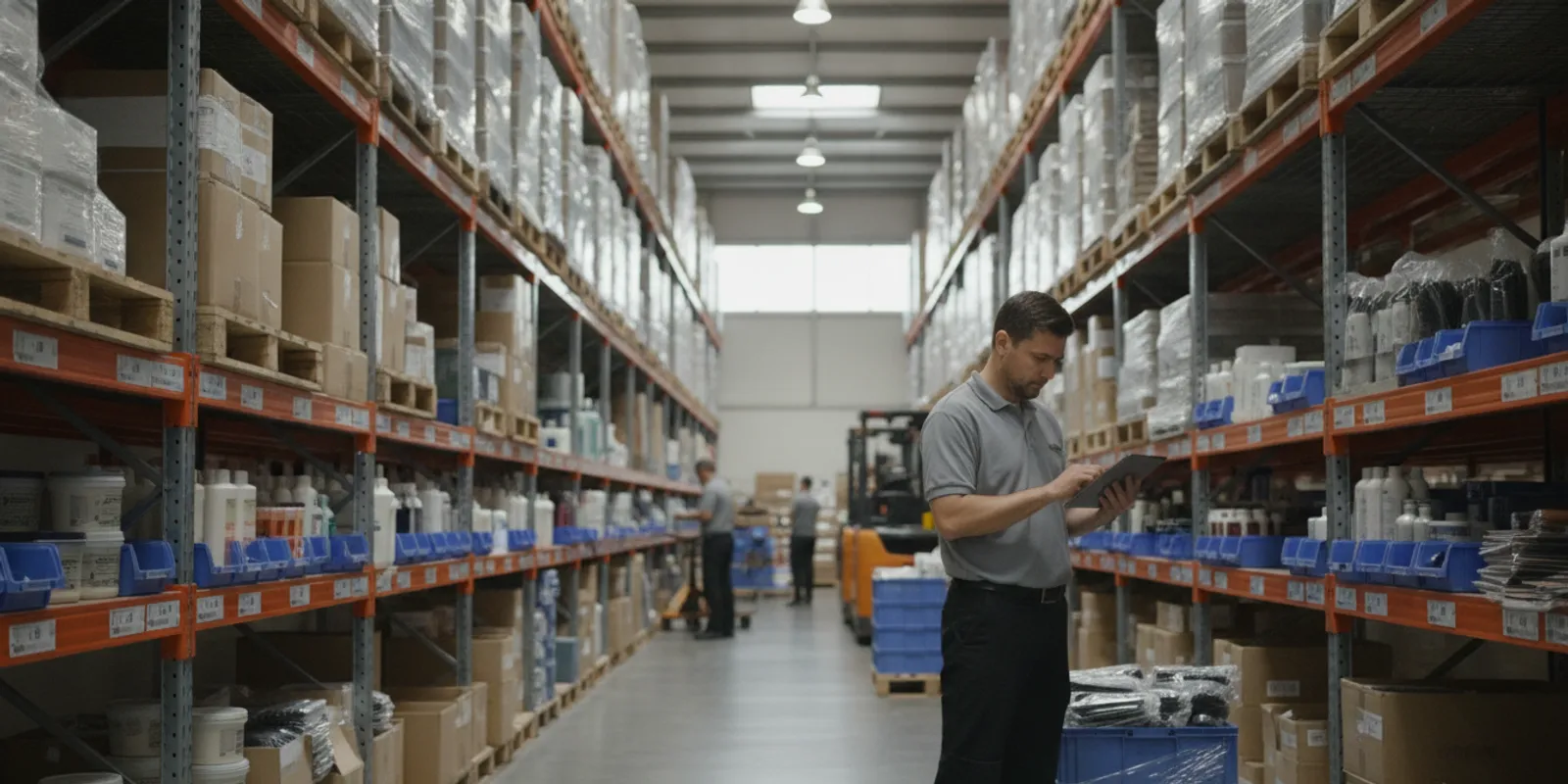
Using a generic, one-size-fits-all software for your tire business is like trying to change a tire with a standard screwdriver. It’s inefficient, frustrating, and risks causing more problems than it solves. Generic systems don’t understand your unique workflows, from tracking tire aging to managing thousands of SKUs. A purpose-built automotive ERP is the right tool for the job. But even the best tool needs an expert hand to get it working perfectly for your shop. That’s why finding the right automotive erp implementation services is critical to unlocking the full power and efficiency of a specialized system.
Key Takeaways
- Prioritize an industry-specific ERP: Avoid the headaches of generic software. An automotive ERP is built to handle your unique challenges, from complex tire inventories to service orders, integrating all operations into one seamless platform.
- Plan your implementation from start to finish: A successful ERP rollout is a planned project, not just a software installation. Ensure success by defining your business needs upfront, creating a detailed data migration strategy, and committing to thorough team training.

- Select a partner, not just a vendor: The right software is only half the battle. Choose an implementation partner with proven automotive experience, transparent pricing, and a clear plan for training and long-term support to ensure your investment pays off.
What is an Automotive ERP?
Think of an automotive ERP (Enterprise Resource Planning) system as the central nervous system for your tire or auto service business. It’s a single software solution designed to connect and manage all your daily operations. Instead of juggling separate programs for sales, inventory, and accounting, an automotive ERP brings everything together into one unified platform. This means you can handle everything from the moment a customer walks in to order a new set of tires to managing your warehouse stock and balancing your books, all in one place.
Unlike generic software, an automotive ERP is built with the specific needs of your industry in mind. It understands the complexities of managing tire SKUs, tracking parts, handling warranties, and processing multi-step service orders. It’s a tool that speaks your language and is designed to make your workflow smoother, your data more accurate, and your business easier to run.
How Automotive ERPs Differ from Generic Systems
The automotive industry has its own unique set of challenges. You’re dealing with complex supply chains, strict regulatory standards, and customers who need fast, reliable service. A generic, off-the-shelf ERP system just isn’t built to handle these specific demands. It might not understand core charges, tire aging regulations, or the need to track a part from purchase order to final installation. You could spend a lot of time and money trying to customize a generic system, only to end up with a clunky and inefficient solution.


An automotive-specific system like TireServ is different because it’s designed from the ground up for businesses like yours. It comes with features tailored to the tire and auto world, helping you manage intricate inventory, streamline service workflows, and ensure compliance without complicated workarounds.
Key Components of an Automotive ERP
A robust automotive ERP integrates several key functions to give you a complete view of your business. While features can vary, most comprehensive systems include a core set of modules that work together seamlessly. These essential components help you manage every aspect of your operation, from customer interactions to back-office accounting.
Here are some of the key pieces you’ll typically find:
- Point of Sale (POS): Manages customer transactions, service orders, and invoicing at the front counter.
- Inventory Management: Tracks parts, tires, and supplies across one or multiple locations.
- Purchasing: Automates ordering from suppliers to maintain optimal stock levels.
- Financials: Includes Accounts Receivable, Accounts Payable, and a General Ledger for complete financial oversight.
- Reporting and Analytics: Provides real-time data on sales, inventory, and business performance to help you make informed decisions.
Is Your Auto Business Ready for an ERP?
Deciding to switch to a new software system is a big step. It’s not just about technology; it’s about setting your business up for future success. You might be juggling multiple spreadsheets, dealing with inventory headaches, or feeling like your current tools just can’t keep up with your growth. If that sounds familiar, you’re not alone. Many growing tire and auto businesses reach a point where the systems that once worked perfectly become the very things holding them back. The key is recognizing that moment and understanding what to do next. An automotive ERP system can centralize your operations, but how do you know if the timing is right? Let’s look at the common signs and triggers that tell you it’s time for an upgrade.
Signs You’ve Outgrown Your Current System
Remember when your current system was a perfect fit? As your business grows, its needs change. One of the clearest signs you’ve outgrown your setup is when it can no longer support the complexity of your operations. If you’re manually entering data across different programs or your inventory count is always a little off, your system is creating more work, not less. You might also find it impossible to integrate with new technologies like an ecommerce platform or modern point-of-sale hardware. When your software starts dictating how you run your business instead of supporting your goals, it’s a clear signal that you’re ready for something better.
Key Triggers for an Upgrade
Sometimes, the need for an upgrade isn’t a slow burn; it’s a clear event. Rapid growth is a fantastic problem to have, but it’s also a major trigger. If you’re suddenly managing more locations, a larger team, or a huge increase in order volume, your old processes will quickly break down. These challenges in meeting customer demands are strong indicators that your current system is no longer sufficient. An effective ERP implementation can completely transform your operations, helping you manage this new complexity with ease. It’s about choosing a solution that not only fixes today’s problems but is also adaptable enough to support your business for years to come.
What are the Benefits of an Automotive ERP?
Adopting an ERP system designed for the automotive industry isn’t just a software update; it’s a fundamental upgrade to your entire operation. By integrating every part of your business, from the sales counter to the warehouse, an automotive ERP creates a single, reliable source of information. This unified view eliminates data silos and guesswork, paving the way for smarter decisions, smoother workflows, and sustainable growth. Instead of juggling separate tools for sales, inventory, and accounting, you get one system that makes everything work together seamlessly. This integration is the key to addressing the unique challenges of the tire and auto service world, helping you stay competitive and profitable.



Streamline Inventory and Parts Management
For any tire or auto service business, having the right part at the right time is everything. An automotive ERP gives you a real-time, crystal-clear view of your entire stock. This means you can finally stop guessing about what you have on hand. The system helps you share information about orders and parts with your suppliers, ensuring components arrive exactly when you need them and preventing costly project delays. You can avoid tying up cash in slow-moving inventory while ensuring you never run out of your best-selling tires or most-used parts. This level of control helps you meet customer demand without fail and manage your assets more effectively.
Improve Operational Efficiency
Imagine how much time your team spends on repetitive, manual tasks like data entry, order processing, or generating invoices. An automotive ERP automates these workflows, freeing up your staff to focus on what truly matters: serving customers and growing the business. By making your processes more efficient, you can reduce operational costs and minimize waste. When your point of sale, inventory, and accounting systems are all connected, you eliminate redundant work and the human errors that come with it. This efficiency translates directly to a healthier bottom line and a more productive, less stressed-out team.
Access Real-Time Data and Analytics
Making great business decisions requires great data. An automotive ERP puts powerful insights right at your fingertips by tracking key performance indicators (KPIs) across your entire business. You can instantly see which services are most profitable, identify your top-performing technicians, or analyze sales trends to forecast future demand. A well-designed system like TireServ presents this information in clear, easy-to-read dashboards and reports. This allows you to move beyond gut feelings and make strategic, data-driven decisions that steer your business in the right direction, backed by over 30 years of industry experience.
Simplify Regulatory Compliance
Staying on top of industry regulations can feel like a full-time job. From tire registration and warranty management to environmental disposal fees, the compliance landscape is complex. An automotive ERP with built-in compliance features helps you manage these requirements automatically. The system can streamline your processes for tracking and reporting, which mitigates risk and ensures you’re prepared for audits or industry changes. This automation provides peace of mind, knowing that your business is protected from potential fines and penalties. If you have questions about specific compliance needs, it’s always a good idea to contact an expert for guidance.
Must-Have Features in an Automotive ERP
When you start looking at ERP systems, the sheer number of features can feel overwhelming. But for a tire or auto service business, a few capabilities are absolutely essential. Think of these as the non-negotiables. A generic system might have some of them, but a specialized automotive ERP is built around them. Getting these core features right means you’ll have a system that doesn’t just manage your business, but helps it grow by streamlining your unique day-to-day operations from the service bay to the back office. These tools are designed to handle the specific challenges of the auto industry, like managing complex inventories with multiple suppliers, tracking work orders from quote to completion, and maintaining detailed customer service histories. Choosing a system with these foundational features ensures you’re building on a solid platform that understands how your business actually works.
Point of Sale (POS) and Order Management
Your point of sale is where the action happens, so your ERP needs to make transactions seamless. A strong automotive ERP integrates POS functions directly, allowing you to create quotes, process payments, and manage work orders from one screen. Beyond the front counter, it should offer robust Customer Order Management to track every order from the moment it’s placed until it’s fulfilled or returned. This means your team can instantly see an order’s status, handle approvals, and process returns without digging through different systems. It creates a smooth, professional experience for your customers and a much less stressful one for your staff.
Supply Chain and Inventory Control
In the auto industry, inventory is everything. Having the right tire in stock can make or break a sale, while having too much capital tied up in slow-moving parts can sink your cash flow. This is where a great ERP shines. It provides a real-time view of your entire stock across all locations. You can use the software to plan inventory levels, set up automatic reorder points, and avoid both stockouts and overstocking. A specialized system will also handle complexities like tire aging, core charges, and managing parts from multiple suppliers, giving you complete control over your most valuable asset.
Financials and Accounting
Tired of exporting data from one system just to import it into another for accounting? An ERP with integrated financials brings everything under one roof. This feature handles all your core accounting tasks, including invoicing, accounts receivable, accounts payable, and managing expenses. Because it’s all connected, your financial data is always up to date. You can run profit and loss statements, balance sheets, and other critical financial reports with a few clicks. This gives you a clear, accurate, and real-time picture of your business’s financial health, which is essential for making smart, strategic decisions.
CRM and Integrations
Your business is built on relationships, and your software should support that. A built-in Customer Relationship Management (CRM) module helps you track every customer interaction, from their purchase history to service reminders. This allows you to provide personalized customer service and run targeted marketing campaigns that actually resonate. Furthermore, no ERP is an island. A flexible system should integrate easily with other tools you rely on, whether it’s an online parts catalog or a specific payment processor. This ensures a smooth flow of information across your entire business, eliminating data silos and manual entry errors.
Reporting and Quality Control
You can’t improve what you don’t measure. A powerful ERP moves you from making decisions based on gut feelings to using real-time data. Look for a system with strong reporting and analytics capabilities that can give you insights into every corner of your business. You can track key performance indicators like sales trends, technician productivity, and inventory turnover. This data is crucial for maintaining quality control and identifying opportunities for growth. When you can easily generate custom reports, you can spot problems before they get serious and double down on what’s working. If you want to see what this looks like, you can always ask for a demo to explore the reporting features firsthand.
A Step-by-Step Guide to ERP Implementation
Switching to a new ERP system is a major project, but it doesn’t have to be a chaotic one. The key to a smooth transition is having a clear, structured plan. A well-defined implementation process acts as your roadmap, ensuring every stage of the project supports your business goals, minimizes risks, and helps your team adopt the new system with confidence.
Think of it like building a custom garage for your auto shop. You wouldn’t just start pouring concrete without a blueprint. The same principle applies here. By following a step-by-step approach, you can manage the process from start to finish and set your business up for long-term success. Let’s walk through the six essential steps for a successful automotive ERP implementation.
Step 1: Analyze Your Business Needs
Before you look at any software, you need to look at your own business. This first step is all about discovery and setting clear goals. What’s working right now, and what’s causing headaches? Document your current workflows, from the front counter to the warehouse. Talk to your team to understand their daily challenges and what they need to do their jobs better. A successful ERP implementation is one that directly addresses these pain points. By defining your project goals upfront, you create a benchmark that will guide every decision you make moving forward.
Step 2: Plan Your System Design
Once you know what you need, it’s time to create the blueprint for your new system. This phase involves documenting your business requirements in much greater detail. How should inventory be tracked? What information needs to be on a customer invoice? How will you manage purchase orders? You’ll work with your ERP partner to map out how the software will be configured to match your specific workflows. This detailed plan ensures that the final system is built for your business, not the other way around. It’s the critical groundwork that makes for a smooth and predictable implementation process.
Step 3: Migrate Data and Configure
This is where your new system starts to take shape. The first part is configuration, where the ERP software is set up based on the design from the previous step. The second, and arguably most critical, part is data migration. This involves carefully moving all your essential information, like customer lists, inventory data, and sales history, from your old system to the new one. Taking the time to clean and organize your data before moving it is crucial. A structured approach here ensures your new system has accurate information from day one and supports industry-specific requirements like IATF 16949 or AIAG labeling.
Step 4: Test Everything
Before you go live, you need to be sure everything works exactly as it should. This testing phase is your chance to put the new system through its paces in a controlled environment. Your team should test every workflow, from creating a sales order to running a financial report. Does the system respond quickly? Are there any glitches or dead ends? This is also the time to assess performance, checking things like system uptime and response times under pressure. Thorough testing helps you identify and fix any issues before they can impact your live operations and your customers.
Step 5: Deploy and Train Your Team
With testing complete, it’s time for the official launch, or “go-live.” This is an exciting moment, but a successful deployment is about more than just flipping a switch. The most important factor is your team. Proper training is essential for user adoption. If your staff doesn’t feel comfortable or confident using the new system, you won’t get the full value from your investment. A good ERP partner will provide comprehensive training resources and support to help your team manage the change and get up to speed quickly, ensuring a smooth transition for everyone.
Step 6: Support and Continuous Improvement
Your ERP implementation doesn’t end at go-live. Think of it as the beginning of a new phase for your business. After deployment, you’ll enter a period of ongoing support and optimization. Your ERP partner should be there to help resolve any issues that pop up and answer questions as your team settles in. Over time, you’ll also identify new ways to use the system to improve efficiency and grow your business. A great ERP is a long-term investment, so you need a partner who is committed to providing continuous support and helping you adapt as your company evolves.
How to Measure Your Implementation’s Success
You’ve made it through the planning, data migration, and training. Your new automotive ERP is live. Congratulations, that’s a huge milestone! But the work isn’t quite over. The final step is to measure whether the implementation was truly a success. This isn’t about a simple thumbs-up or thumbs-down. It’s about looking at specific, measurable results to see how the new system is impacting your business. By tracking the right metrics, you can confirm you’re getting the value you expected and identify any areas that might need a little more attention.
This process helps you justify the investment and ensures your team is set up for long-term success with the new software. It’s the best way to make sure your new system delivers on its promise to make your operations smoother and more profitable. Think of it as a post-launch checkup. You wouldn’t buy a new piece of shop equipment without making sure it runs correctly, and your ERP is no different. It’s a core part of your business engine. Defining what success looks like from the start and then measuring against those goals will give you a clear, objective view of your return on investment and operational improvements.
Track Project Timeline and Budget
This one starts before you even go live. A successful implementation is one that respects the resources you’ve allocated to it. From the very beginning, you should have a clear project plan with a defined timeline and budget. Your goal is to stick to these as closely as possible. Regularly check your progress against the initial plan. Did certain phases take longer than expected? Did you encounter unforeseen costs? Tracking these project management metrics isn’t about pointing fingers; it’s about ensuring accountability and learning valuable lessons for future projects. A good partner will be transparent about this from the start.
Monitor System Performance
Your new ERP should make work easier, not harder. That’s why you need to monitor its technical performance closely. Key things to watch are system uptime, which is the amount of time the software is up and running, and response time, which is how quickly it reacts to commands. If your team is constantly waiting for screens to load or dealing with system crashes, their productivity will plummet. A high-performing, reliable system like TireServ is the backbone of an efficient auto service business, so make sure your new software is meeting performance expectations and not causing new frustrations.
Check User Adoption and Data Quality
A powerful ERP is only as good as the people and data within it. First, look at user adoption. Is your team actually using the new system for their daily tasks, or are they reverting to old habits and spreadsheets? Low adoption can signal a need for more training or a workflow adjustment. Equally important is data quality. The decisions you make are based on the information in your ERP, so it needs to be accurate and complete. Monitor for errors or incomplete entries. Clean, reliable data is essential for everything from inventory counts to financial reporting.
Calculate ROI and Efficiency Gains
Ultimately, you invested in an ERP to improve your business. Now it’s time to see if it’s delivering. Calculating your return on investment (ROI) is a great place to start. Compare the total cost of the implementation against the financial gains, like reduced overhead or increased sales. But don’t stop there. Look for efficiency gains across your operations. Are you processing orders faster? Has inventory accuracy improved? Using key performance indicators to measure these before-and-after changes will give you a clear picture of the true value your new ERP is bringing to the table.
Common ERP Implementation Challenges (and How to Avoid Them)
Switching to a new ERP system is a big move, and like any major business project, it can come with a few bumps in the road. But don’t worry, knowing what to expect is half the battle. Most of the common hurdles are completely avoidable with a little bit of planning. Let’s walk through the four biggest challenges we see and, more importantly, how you can steer clear of them from the start. By anticipating these issues, you can ensure your implementation process is smooth, on budget, and sets your team up for success.
Overcoming Staff Resistance to Change
Let’s be honest: most people don’t love change, especially when it involves learning new software. Your team is used to doing things a certain way, and a new system can feel disruptive. The key to getting everyone on board is clear communication and involvement. Start talking about the ERP transition early and explain why it’s happening and how it will make their jobs easier in the long run. Involve key team members from each department in the decision-making process. When people feel heard, they’re more likely to support the change. Finally, comprehensive employee training is non-negotiable. A good ERP partner will help you create a training plan that makes your team feel confident and prepared.
Solving Data Migration and Integration Puzzles
Your business data is one of your most valuable assets. Moving decades of customer history, inventory records, and financial data from multiple old systems into one new one can feel like a high-stakes puzzle. The main concerns are data loss, corruption, and security. To avoid this, your implementation plan needs a dedicated data migration strategy. This involves cleaning up your existing data before you move it, establishing strong security protocols, and using encryption to protect it during the transfer. A specialized solution like our TireServ ERP software is designed to handle the specific data types of the auto and tire industry, and a good partner will guide you through a secure, phased migration to ensure everything lands in the right place, safe and sound.
Balancing Customization and Standardization
You’ll face a big question during implementation: should you change your processes to fit the software, or change the software to fit your processes? The answer is usually somewhere in the middle. A good rule of thumb is that if an off-the-shelf ERP meets about 70% of your needs, it’s more cost-effective to customize it than to build a new one from scratch. This is where an industry-specific ERP shines. It’s already built to handle the unique workflows of a tire and auto business, minimizing the need for extensive, costly customizations. The goal is to standardize where you can to gain efficiency but retain the flexibility to customize the system to support what makes your business unique.
Avoiding Hidden Costs and Budget Surprises
Nothing sours a project faster than unexpected costs. The initial price of the software is often just one piece of the total investment. Hidden costs can pop up in the form of hardware upgrades, fees for third-party consultants, overtime pay for your internal team, and ongoing maintenance. The best way to avoid budget surprises is to demand transparency from the start. Ask potential ERP partners for a detailed breakdown of all possible expenses, not just the software license. Be sure to discuss costs for data migration, training, and long-term support. A trustworthy partner will provide a clear, comprehensive quote and help you create a realistic budget that includes a contingency for any unforeseen issues.
How to Choose the Right ERP Implementation Partner
Selecting an ERP system is a huge decision, but choosing the partner who will help you implement it is just as important. This isn’t a one-and-done transaction; it’s the start of a long-term relationship. The right partner acts as your guide, helping you move from your old, clunky systems to a streamlined new reality. They’re the ones who will get into the weeds with you, learn your business, and make sure the software actually works for your team.
A great partner does more than just install software. They bring deep industry knowledge, offer flexible solutions, and provide the training and support needed to make the transition a success. They’ll be upfront about costs and timelines and will stick around to help you long after the system goes live. Think of them as an extension of your own team, dedicated to helping your auto or tire business thrive. When you start your search, focus on finding a partner who checks all these boxes, not just the one with the lowest price tag. Your future success depends on making a smart choice here.
Look for Proven Industry Experience
The single most important quality in an ERP partner is experience in the tire and automotive industry. A generic implementer simply won’t understand the unique challenges you face every day, from managing tire casings and cores to handling complex pricing and national account billing. Implementing a new ERP is a high-stakes project, and you don’t have time for a partner who needs to learn your business on your dime.
An experienced partner comes to the table with a proven methodology tailored specifically for the automotive supply chain. They know the right questions to ask and can anticipate problems before they happen. With over 30 years of experience, our team at QBC has a deep understanding of the industry and has designed our entire process around the needs of businesses just like yours.
Prioritize Customization and Scalability
Your business is unique, and your ERP system should reflect that. When you’re talking to potential partners, it’s crucial to find a solution that not only meets your current needs but is also adaptable for future growth. What happens when you open a new location, expand your wholesale operations, or add a new service line? Your ERP should be able to grow with you, not hold you back.
Ask partners how their system can be configured to your specific workflows. A good partner will help you tailor the software without requiring expensive, one-off customizations that are difficult to maintain. Your goal is to find a flexible platform that can support your business for years to come. Our TireServ ERP software is designed to be both powerful and scalable, ensuring it remains a perfect fit as your business evolves.
Ask About Training and Change Management
Even the best software is useless if your team doesn’t know how to use it. A successful implementation depends on confident user adoption, which is why training and change management are so critical. Don’t be afraid to ask potential partners detailed questions about their training process. Do they offer on-site training? Is it tailored to different roles, like your sales counter staff, warehouse managers, and accountants?
A great partner will provide comprehensive training and onboarding to make sure every member of your team feels comfortable and confident with the new system. They should also have a plan to help you manage the transition and get buy-in from employees who might be resistant to change. This support is key to a smooth rollout and ensures you get the full value from your investment.
Confirm Long-Term Support Options
Your relationship with your ERP partner doesn’t end when the system goes live. In fact, that’s just the beginning. You will have questions, need to train new employees, and want to take advantage of new features as they are released. Before you sign any contracts, make sure you have a clear understanding of the long-term support options available.
Ask about their support hours, typical response times, and how they handle issues. Will you be talking to a call center, or will you have access to a support team that knows you and your business? A partner who offers a holistic approach sees your ERP as the stable backbone of your operations and is committed to its ongoing success. You should feel confident that you can reach out for help whenever you need it.
Get Transparent Pricing and a Clear Timeline
Implementing an ERP is a significant investment, and you deserve to know exactly what you’re paying for. A trustworthy partner will provide a detailed proposal with a complete breakdown of all costs, including software licenses, implementation services, training, and ongoing support. There should be no hidden fees or surprises along the way. If a potential partner is vague about pricing, consider it a major red flag.
Equally important is a clear and realistic project timeline. The partner should work with you to establish key milestones and deliverables, so you always know where the project stands. This shared plan keeps everyone accountable and ensures the implementation stays on track. A partner who sets clear expectations from the start is one you can trust to guide you through this important process.
Why Your Tire Business Needs a Specialized ERP
Choosing an ERP system is a major decision, and it’s tempting to go with a generic, one-size-fits-all solution. They often seem like the simplest option, promising to do everything for everyone. But the tire and auto service industry has a unique set of demands that generic software just isn’t built to handle. Your business juggles complex inventory with countless SKUs, specific service requirements, and a customer base that expects fast, accurate service. Using a system that doesn’t understand these nuances is like trying to change a tire with a standard screwdriver. You might eventually get the lug nuts off, but it’s going to be inefficient, frustrating, and you risk causing more problems than you solve.
A specialized ERP, on the other hand, is designed from the ground up with your industry’s challenges in mind. It speaks your language, understands your workflows, and provides the specific tools you need to manage everything from inventory and point of sale to accounting and customer relationships. Instead of forcing your business to adapt to the software’s limitations, a specialized system conforms to your business processes. This tailored approach not only streamlines your daily operations but also gives you a significant competitive edge. It’s about having the right tool for the job, one that helps your team work smarter, not harder, and ultimately lets you focus on growing your business.
The Problem with One-Size-Fits-All Software
Generic ERP systems are designed to be a jack-of-all-trades, which often means they are a master of none, especially for a niche industry like tire distribution. They lack the specific features needed to manage the complexities of your inventory, such as tracking tire aging, handling manufacturer rebates, or managing casings. You might find yourself wrestling with cumbersome workarounds or paying for expensive customizations just to perform basic, everyday tasks.
These systems don’t understand the difference between a summer tire and a winter tire, or how to manage the thousands of SKUs that come with different sizes, brands, and models. This can lead to inaccurate inventory counts, ordering mistakes, and ultimately, lost sales. Your team ends up spending more time fighting the software than serving your customers, which is a recipe for frustration and inefficiency.
How TireServ Solves Unique Industry Challenges
This is where a purpose-built system makes all the difference. The TireServ ERP software was created specifically to solve the daily challenges of tire and auto service businesses. It integrates every part of your operation, from the front counter to the back office, into one seamless system. Imagine having a Point of Sale that instantly updates your inventory, an accounting module that understands your pricing structures, and a CRM that keeps track of customer vehicle history.
Implementing a new ERP can feel like a massive undertaking, but it doesn’t have to be a high-risk project. Because TireServ is built for your industry, the implementation process is more straightforward. Our team at QBC has over 30 years of experience helping businesses like yours adopt new systems with confidence. We’ve designed TireServ to reduce risk and ensure your team can hit the ground running, turning a complex transition into a powerful business upgrade.
Frequently Asked Questions
My current system is a mess, but the thought of switching is overwhelming. How disruptive is the implementation process? That’s a completely valid concern, and it’s the number one reason many businesses delay making a change. The good news is that a modern, well-planned implementation is not the chaotic overhaul you might be picturing. With an experienced partner, the process is broken down into clear, manageable steps. It starts with understanding your business, designing a system that fits your workflow, and carefully migrating your data. The goal is a smooth transition, not a sudden shock to your operations, so your team feels prepared and your business keeps running.
We’re a growing business, but not a huge corporation. Is an ERP system too big or complicated for us? This is a common misconception. An ERP isn’t about size; it’s about efficiency. A specialized system like TireServ is designed to be scalable, meaning it can support a single-location shop just as effectively as a multi-warehouse distributor. The right system gives you the specific tools you need to manage your unique challenges, like complex tire inventory and service orders, without burdening you with features you’ll never use. It’s about getting the right-sized solution to help you run better and grow smarter.
What’s the single biggest advantage of using an ERP built specifically for the tire industry versus a generic one? The biggest advantage is that it speaks your language from day one. A generic system doesn’t understand the specifics of your business, like tire aging regulations, manufacturer rebates, core charges, or the thousands of SKUs that come with different brands and sizes. You end up spending time and money on workarounds. A specialized system has all that industry knowledge built in, which means it works the way you do and provides the data you actually need to make smart decisions.
All my business data is in different spreadsheets and programs. How do we move all of that without losing it? Moving your data is a critical part of the process, and it’s handled with a very structured approach. A good implementation partner will never ask you to just dump your data and hope for the best. Instead, they guide you through a dedicated data migration phase. This involves cleaning and organizing your existing information, mapping it to the new system, and securely transferring it. This careful process ensures your customer histories, inventory counts, and financial records arrive intact and accurate.
What happens after the system is installed? Am I on my own if something goes wrong? Not at all. The go-live date is the start of the partnership, not the end of it. A good partner provides ongoing support to handle any questions or issues that come up after the launch. They should offer comprehensive training to get your team comfortable and provide continuous help as you grow and your needs change. You should feel confident that you have a dedicated team to call on for the long haul, ensuring the system continues to be a valuable asset for your business.